Design the view, not the boilerplate
Prisma Designer runs directly from index.html in Chrome or Edge. Add components to a target-resolution canvas, edit their properties in the inspector, and save projects as reusable .prisma files. The editor includes 24 element types, built-in Fallout-themed presets, 4,180 searchable SVG icons, and a scene outliner for larger layouts.
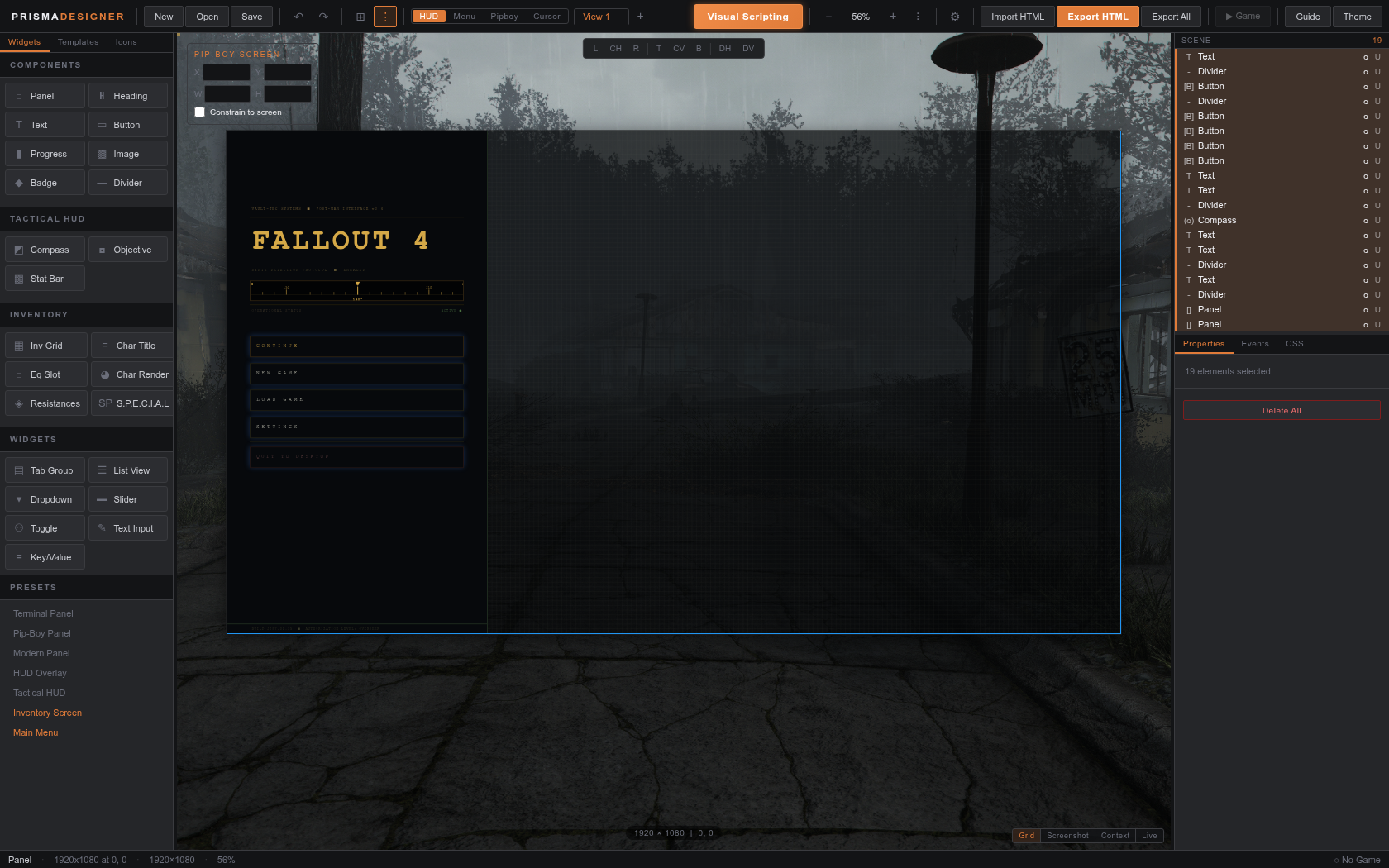
From canvas to game
The exported view is self-contained. Coordinates, styling, images, canvas draw functions, button stubs, and visual scripting are all written into one HTML file. Put it under Data/PrismaUI_F4/views/<YourPlugin>/ and load it with CreateView using a path relative to the Prisma views root. PrismaUI_F4 Current PrismaUI does not require an extra Interface subdirectory. The export dialog also prints the C++ listener code for buttons configured in the designer.
Full guide
Follow the complete workflow, from opening the editor to validating an exported view in Fallout 4.
Getting Started
Open the static editor, create your first view, and export it into a PrismaUI F4 plugin.
Read →Canvas and View Types
Set the target resolution, navigate the canvas, and arrange elements with pixel precision.
Read →Widgets, Templates, Icons, and Themes
Choose from game-focused widgets, reusable presets, searchable icons, and Fallout-themed palettes.
Read →Properties, Events, and Data Binding
Style elements, wire buttons to C++ listeners, and bind views to live game values.
Read →Visual Scripting
Build event-driven behavior that compiles to plain JavaScript inside the exported HTML.
Read →Exporting HTML and C++ Integration
Export a self-contained view and load it from an F4SE plugin with the PrismaUI API.
Read →Live Game Preview
Connect the optional Bridge to preview layout and live values in a running Fallout 4 game.
Read →Validation and Troubleshooting
Keep projects editable, understand validation findings, and diagnose common integration problems.
Read →