
How it works
You write a web page. PrismaUI renders it inside Fallout 4 and gives your C++ plugin a bridge to talk to it.
CreateView / Focus / InteropCall to control the UI and push game data to JS. One header file. No linker dependency.Not sure where to start? The example plugin ships with all this wired up already, clone it, build it, and you have a working UI in-game in minutes.
CEF 147
The same engine that powers VS Code. Full ES2020+, WebGL, CSS Grid, Web Audio, and Web Workers, no proprietary renderer quirks.
Deep integration
JS listeners run on the main game thread. Direct access to RE::Actor, GMSTs, and Papyrus properties from inside callbacks.
Any web stack
Vanilla JS, React, Vue, Svelte, if it ships as HTML, CSS, and JS, it runs inside the game. No special build pipeline required.
prisma-mcp
An MCP server that gives Cursor, Claude Code, and any MCP-compatible AI live, structured access to every method and guide.
Runs in the game world
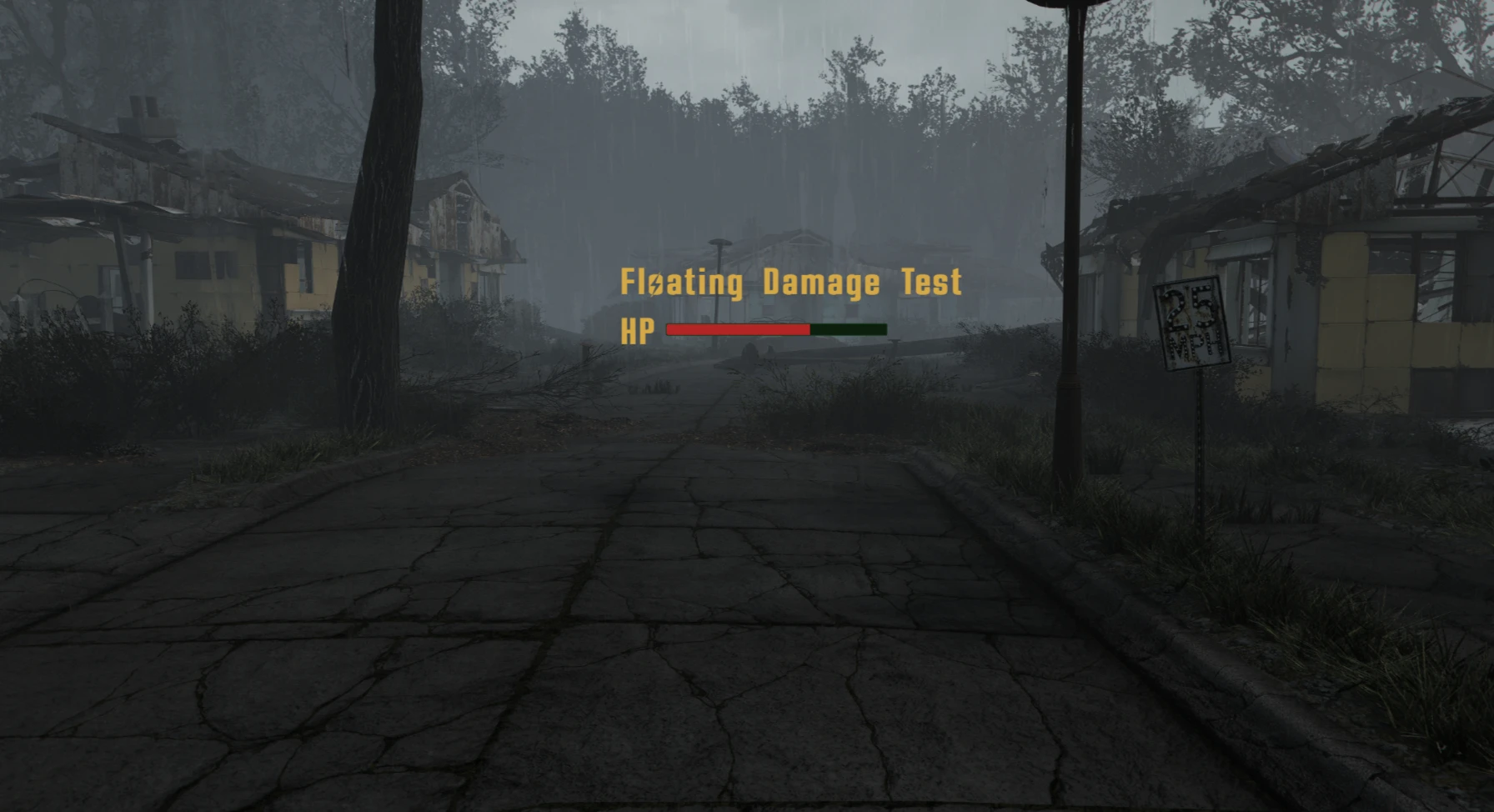
A floating enemy health bar rendered as an HTML overlay in Fallout 4. No Scaleform. No SWF files. Just HTML and CSS.
Five minutes to a working UI
One header file. No link-time dependency on the framework DLL. Works in any xmake F4SE plugin.
// 1. request the api on kGameDataReady
auto* api = PRISMA_UI_API::RequestPluginAPI<IVPrismaUI2>();

// 2. create a view on kPostLoadGame / kNewGame
PrismaView view = api->CreateView("my-ui.html", [](PrismaView v) {
    api->RegisterJSListener(v, "close", [](const char*) {
        api->Unfocus(view);
        api->Hide(view);
    });
    api->Invoke(v, "init()");
});
api->Hide(view);   // views start visible, hide until the player opens yours
Connect your AI assistant
prisma-mcp is a Model Context Protocol server that gives Cursor, Claude Code, and any MCP-compatible AI live, structured access to the full API reference and all guides, always up to date.
claude mcp add prisma-mcp -- npx -y prisma-mcp
{
  "mcpServers": {
    "prisma-mcp": {
      "command": "npx",
      "args": [
        "-y",
        "prisma-mcp"
      ]
    }
  }
}